
Eliminate manual uploads
Stop exporting trial balances, reformatting spreadsheets, and uploading files to FloQast each period. The integration sends accurate trial balance data with dimension values directly to the FloQast API.
Upload trial balances from Business Central to FloQast in one click.
Eliminates manual trial balance exports by connecting Business Central directly to FloQast. Uploads G/L trial balances with dimensional analysis, automatically splitting P&L (month-to-date) from Balance Sheet (year-to-date), with full audit logging.
$3,500/ year
See pricing detailsFinance teams using Business Central and FloQast often spend valuable time each close period manually exporting trial balance data, reformatting spreadsheets, and uploading files to FloQast. The process is tedious, error-prone, and lacks an audit trail. Dimensional analysis gets lost or has to be rebuilt by hand every cycle.
Blue Dragonfly FloQast Integration connects Business Central directly to the FloQast close management platform. Extract posted G/L data, add BC dimension values, transform it into FloQast's JSON format, and upload — at the click of a button, with a full audit trail.
Stop exporting trial balances, reformatting spreadsheets, and uploading files to FloQast each period. The integration sends accurate trial balance data with dimension values directly to the FloQast API.
Configure any combination of Business Central's eight shortcut dimensions, each mapped to its own FloQast entity for independent close workflows.
Income Statement accounts upload as month-to-date amounts; Balance Sheet accounts upload as year-to-date balances — matching standard FloQast trial balance conventions automatically.
Every upload attempt, connection test, and API response is recorded with timestamps and user identification — the audit trail manual uploads never had.
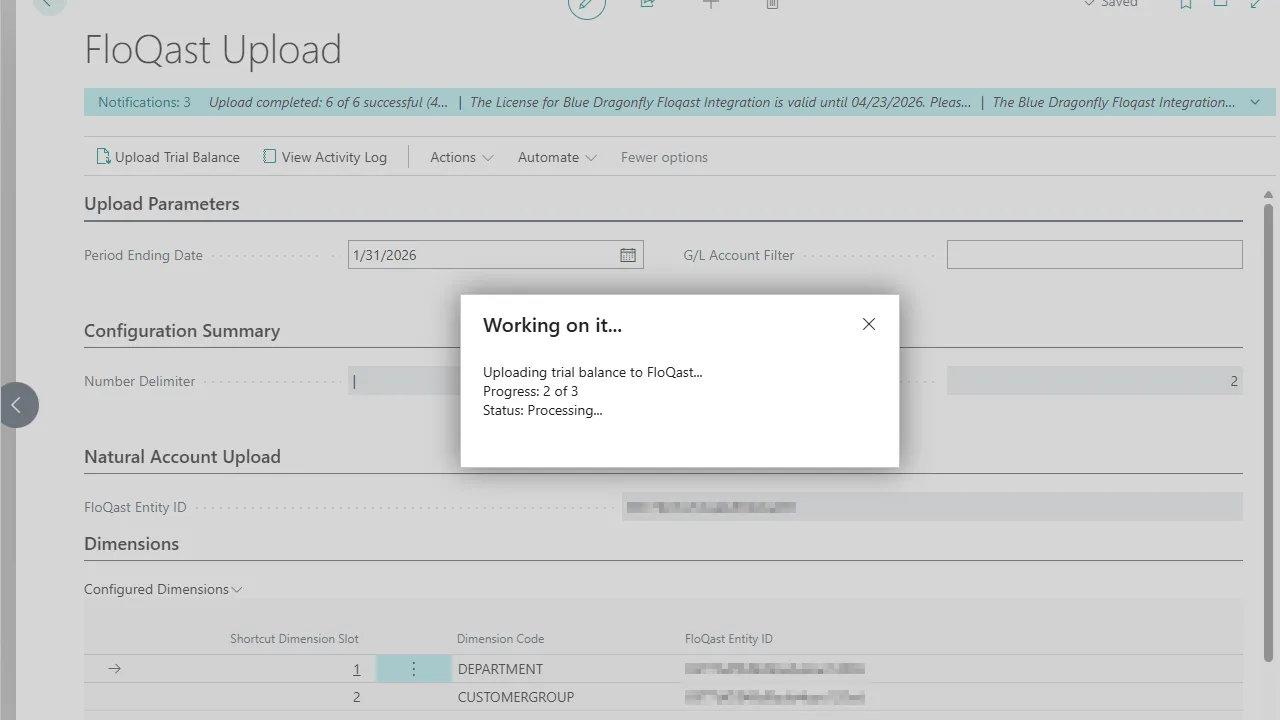
Upload trial balance data for all configured dimensions in a single action from the dedicated Upload page.
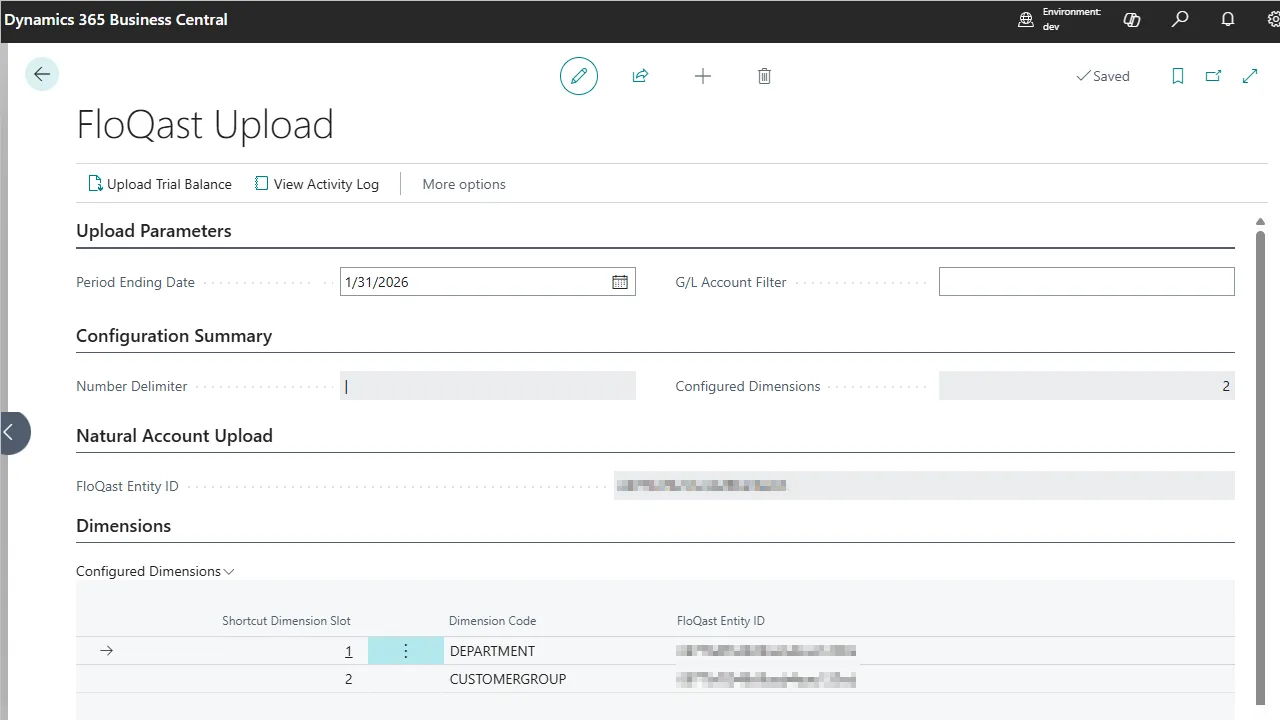
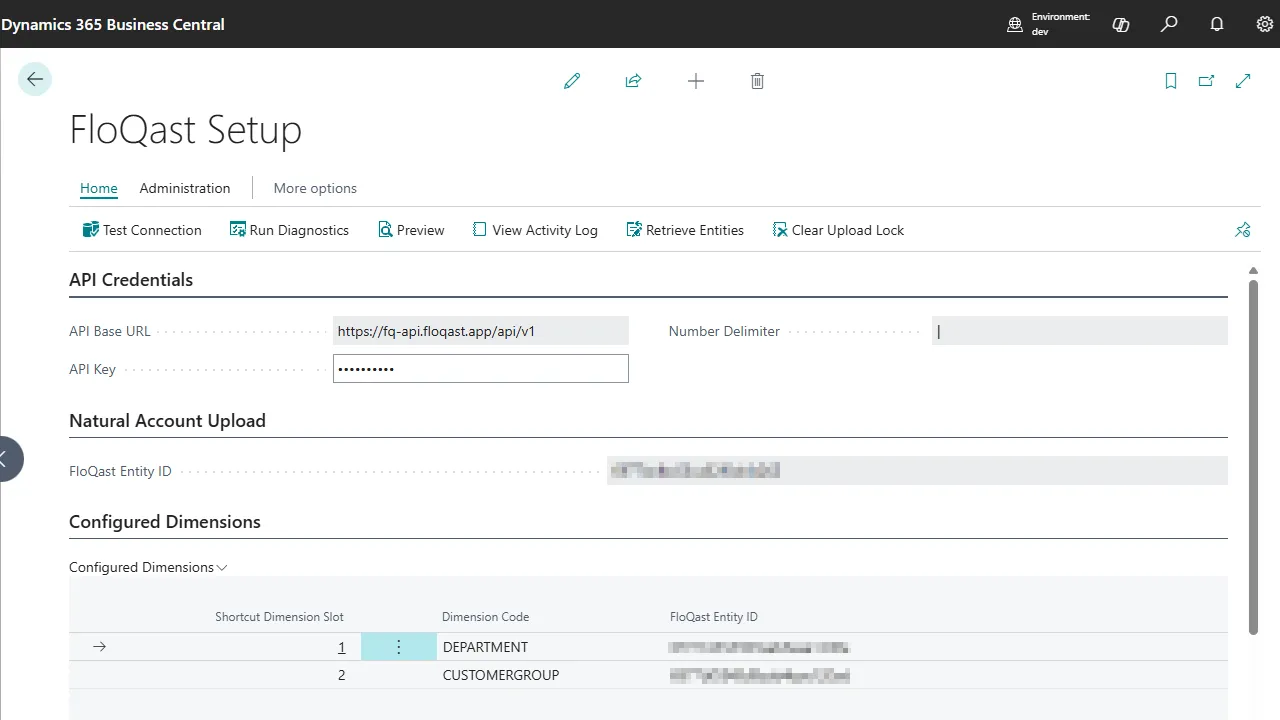
Map each shortcut dimension to its own FloQast entity. Add a plain, non-dimensional trial balance as a separate entity if you want both views.
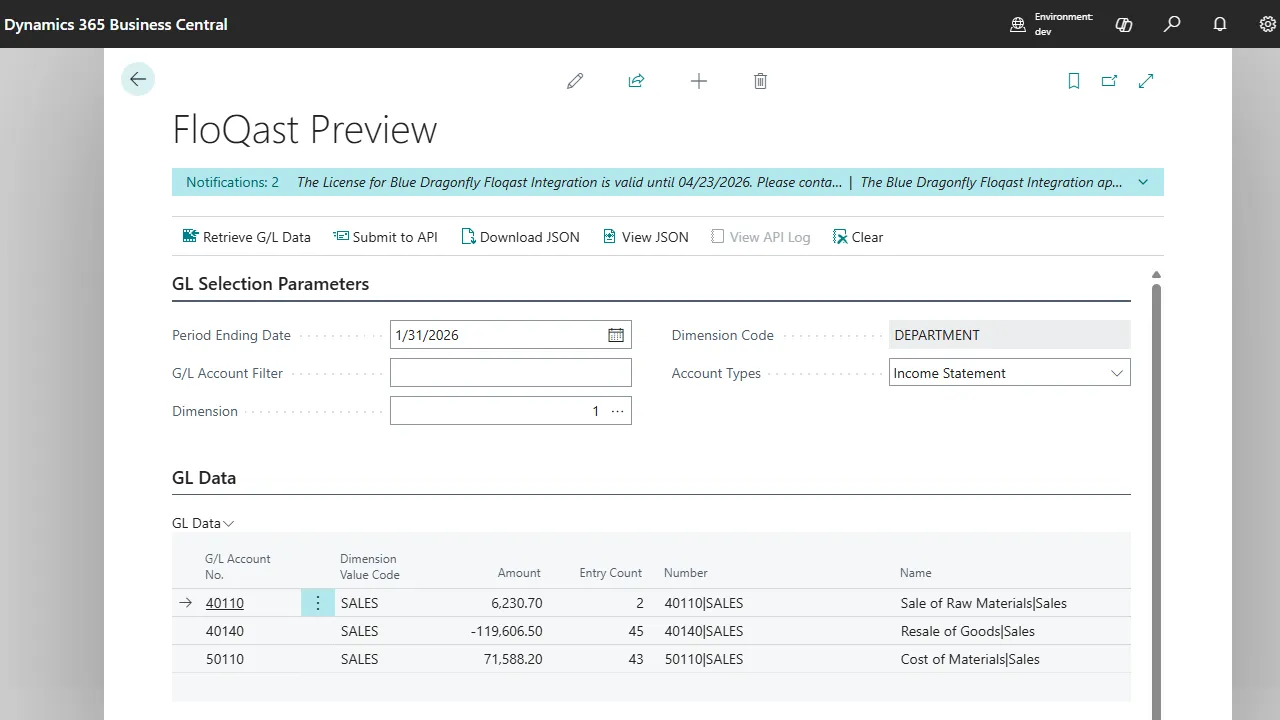
Review extracted G/L data and the exact JSON payload before submitting, so you can verify accuracy before anything reaches FloQast.
Transient API errors are retried automatically, up to three attempts with a delay between them, reducing the need for manual re-uploads when a FloQast request fails.
Enable detailed diagnostics to capture request/response payloads for fast troubleshooting when something unexpected happens.
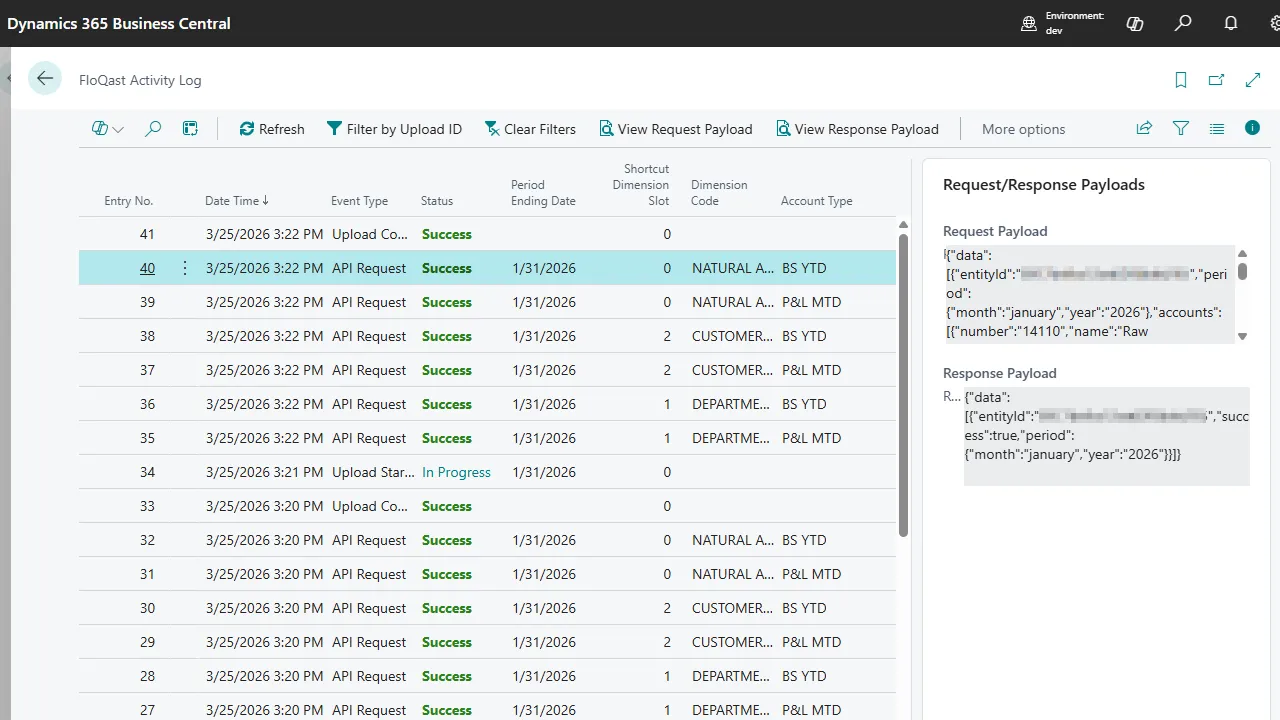
Enter your FloQast API key and entity IDs on the Setup page. Use the built-in Retrieve Entities action to look up FloQast entities directly from Business Central.
Choose the BC shortcut dimensions you want to upload and map each to the corresponding FloQast entity.
Run the built-in connection test to confirm everything is configured correctly before your first upload.
At period end, run the Upload action. Trial balances for all configured dimensions are sent to FloQast in one click, with a full activity log.
$3,500/ year
Annual subscription
Priced per Business Central tenant.
Request a DemoNo — the integration uploads trial balance data from Business Central to FloQast. The direction is BC-to-FloQast so the close management platform stays current with your GL.
Yes — the integration uses the FloQast API, which requires API access on your FloQast plan. We can confirm fit before you commit.
You configure which of Business Central's eight shortcut dimensions are included. Only the ones you map are uploaded.
Accounting and finance teams running BOTH Business Central and FloQast — controllers, staff accountants, and finance managers responsible for period-end close.
Last updated
Many finance teams use FloQast to manage the close. Business Central is the system that holds your general ledger. Exporting, reformatting, and uploading the trial balance by hand doesn’t need to be part of every close cycle.
Blue Dragonfly FloQast Integration makes it a single action: configure once, click upload, and your trial balance — with dimensional detail and the correct P&L / Balance Sheet treatment — lands in FloQast with a full audit trail behind it.